Outfit of the day
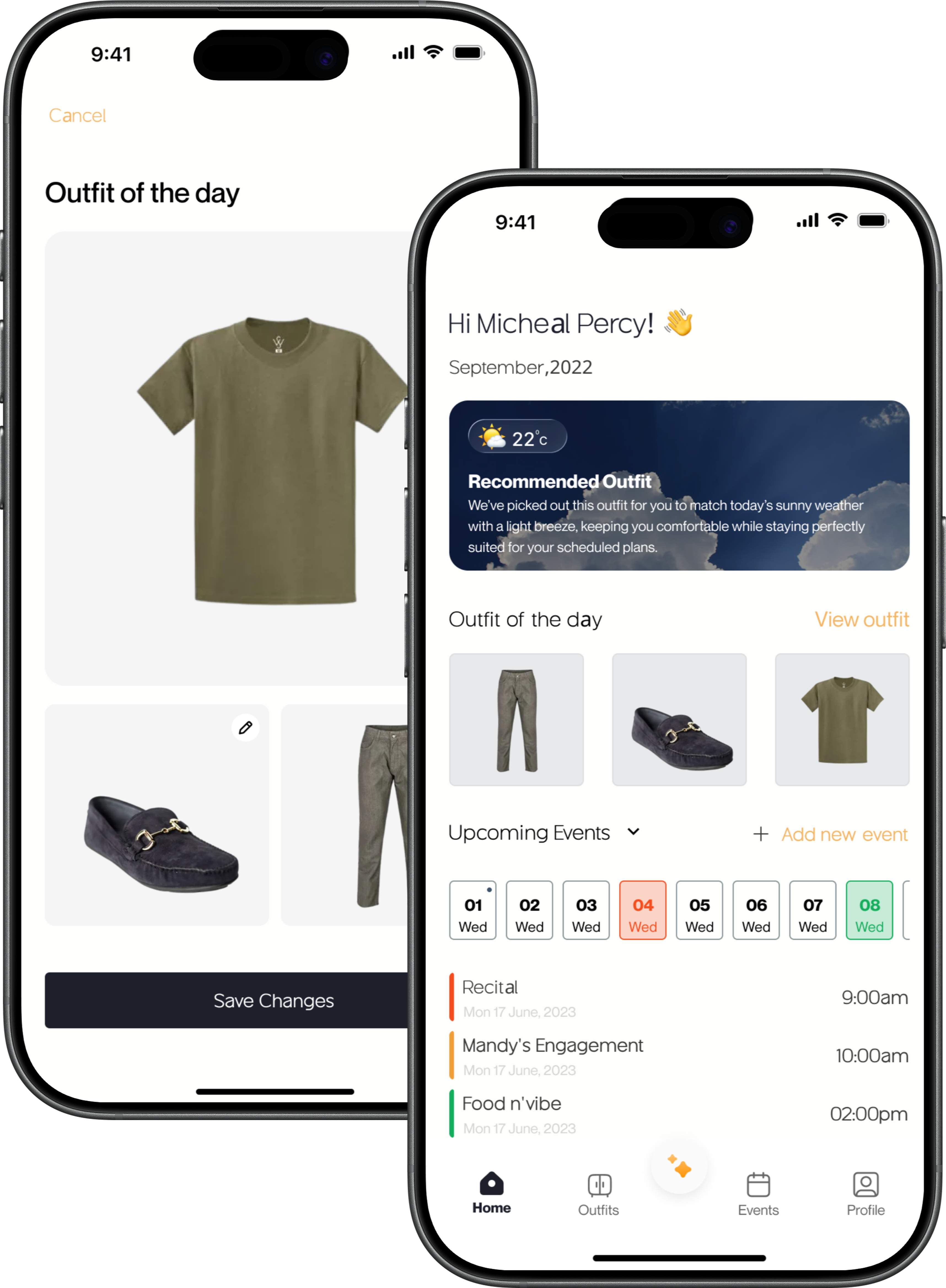
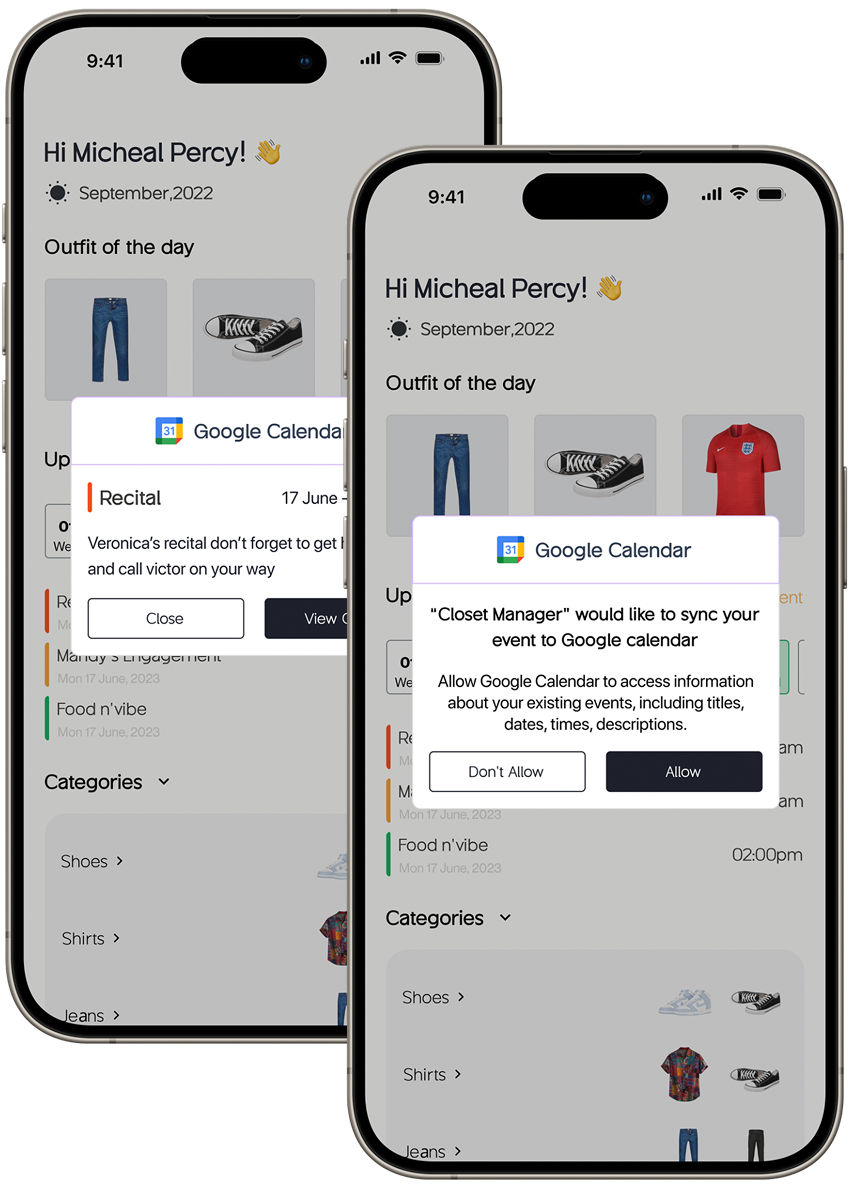
The app opens with a daily outfit curated around the user's schedule, stated preferences, and current trends, with real-time weather factored in. Shuffle for an alternative, or save the looks you love.
An AI wardrobe assistant that figures out what to wear, so you don't have to. Style your life, simplified.
Getting dressed sounds simple. Between work schedules, social calendars, and seasonal changes, it rarely is. People have the clothes; they lack a system.
A two-person UX case study with Uchechi Kalu: structured interviews, segmentation, persona, journey map, flows, and hi-fi screens.
Five features, each traced to a research motivation, governed by one principle: any task in three taps or fewer.
Demanding work schedules, shifting social calendars, seasonal wardrobe transitions, and the mental load of keeping a closet organised turn a daily routine into a daily source of stress. Most people aren't struggling because they lack clothes. They're struggling because they lack a system.
How might we help people move from a disorganised wardrobe to a confident, personalised dressing routine without adding complexity to their day?
Structured interviews with a diverse group of potential users, organised around five themes.
How often do users struggle with outfit selection? What does that look like in practice?
How do people currently organise their wardrobes? What drives their daily choices?
Do daily activities shape clothing decisions? Would calendar-linked suggestions add value?
How do users track clothing usage and rotation? Where do reminders fit in?
What would make a wardrobe app genuinely worth using?
Influencers and fashion-forward users want to curate content, track trends, and style outfits systematically.
Busy professionals and frequent travellers need fast, contextual suggestions, often weather- and destination-aware.
Organisation-focused users want a clean wardrobe inventory with laundry management built in.
Grouping users into two segments let us design with focus. If a feature didn't clearly serve one of them, it didn't belong.
Corporate professionals who need polished attire for meetings and travel with minimal decision fatigue, and socially active users who want occasion-appropriate picks without the overthinking.
Trendsetters and content creators who want to stay organised while keeping up with what's current, plus students, parents, travellers, and gym-goers whose wardrobe needs shift across their lives.
"I want to look sharp without spending my morning staring at my wardrobe."
Following Ridwan from first install to daily habit, and the opportunity hiding in each stage.
Each feature answers a motivation the research surfaced. Nothing was included for optics.
The app opens with a daily outfit curated around the user's schedule, stated preferences, and current trends, with real-time weather factored in. Shuffle for an alternative, or save the looks you love.
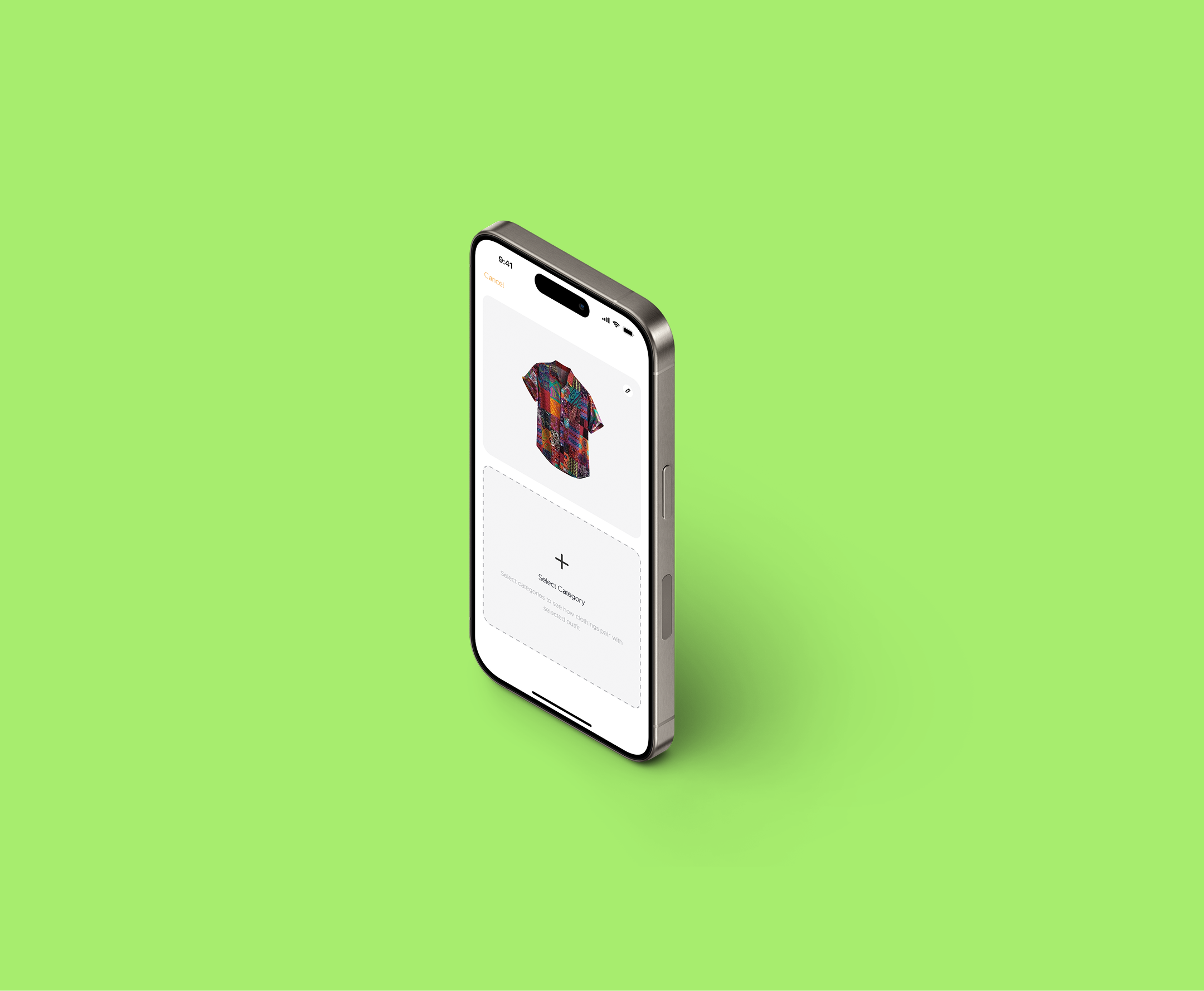
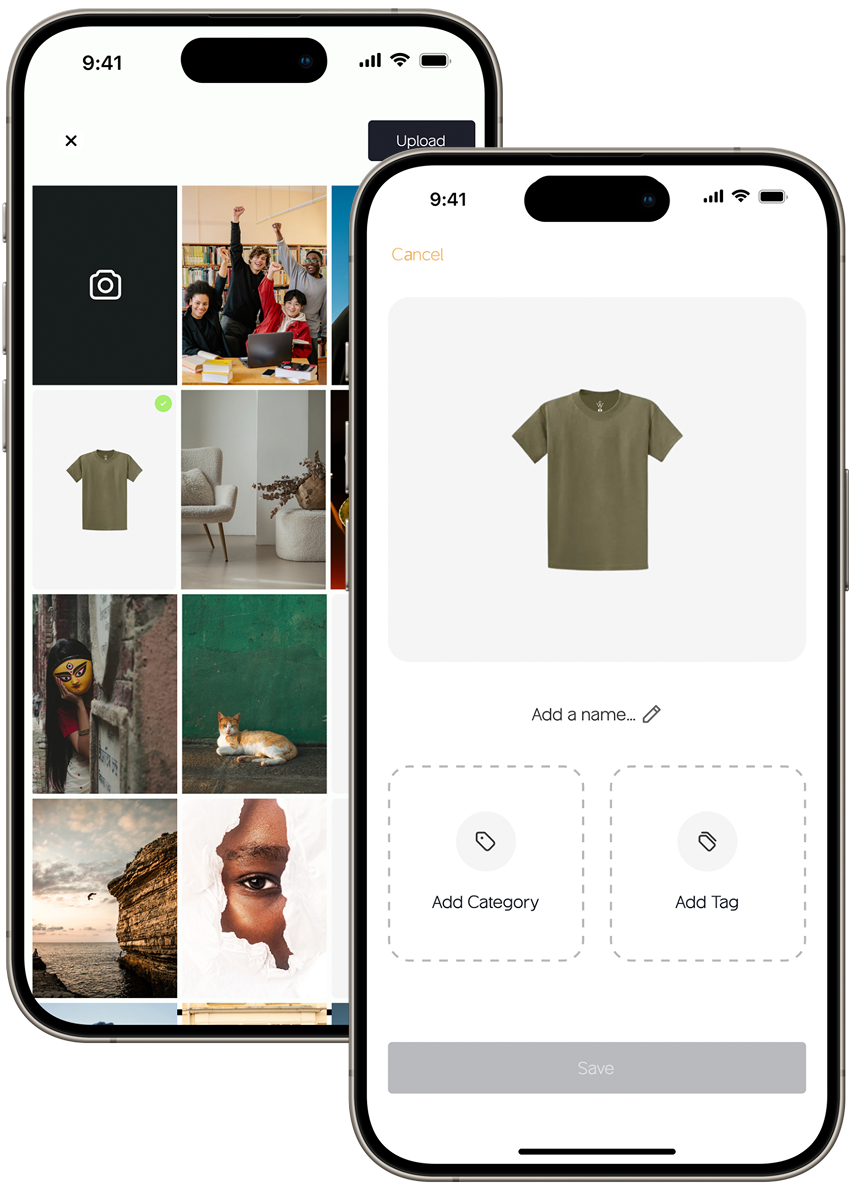
Users photograph and tag their clothing with colour, style, category, and occasion. That builds a personal wardrobe database, and recommendations get more accurate with every item added.
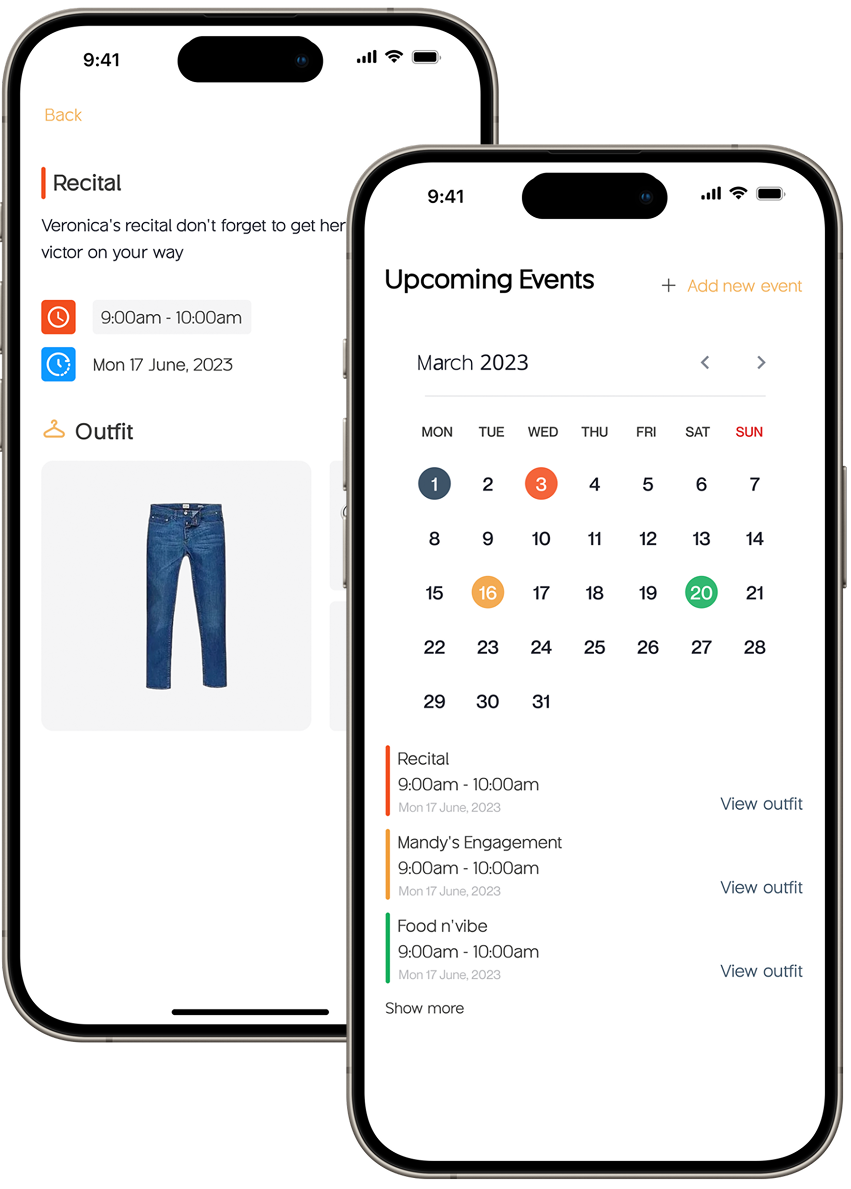
Add events in-app, from formal presentations to casual outings, and Closet Manager surfaces outfit suggestions for each one. With Google and Apple Calendar sync, the app reads the existing schedule and prepares outfit options before the user even asks.
Outfit suggestions factor in real-time weather data through a weather API, which is particularly useful for frequent travellers who need destination-aware packing guidance.
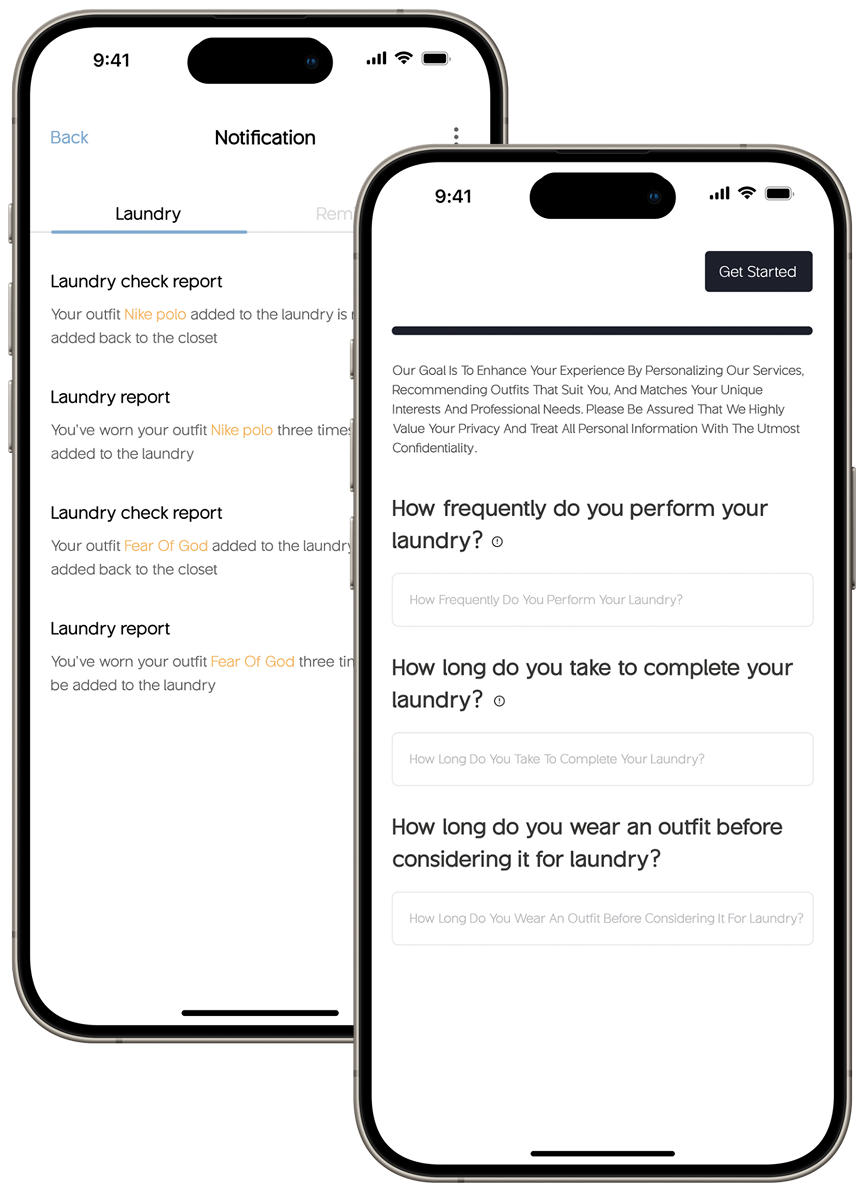
The often-overlooked half of wardrobe management. Users track clothing usage, schedule wash cycles, and set reminders for dry cleaning or specialist care. The wardrobe stays fresh, and so does the recommendation engine.
Every flow, from viewing today's outfit to scheduling an event, was designed to complete in three taps or fewer. Four primary routes hang off a central home screen.
The interface anchors on Raisin Black, warmed by Earth Yellow and freshened by Light Green: sophistication with energy, set in the geometric typeface Guminert.
The three motivations (convenience, efficiency, personalised assistance) drove every decision, from home screen hierarchy to which features made the cut. Starting from research is the difference between a product that fits and one that guesses.
The two segments were a filter. Any feature that didn't clearly serve one of them didn't make it in. That kept the scope manageable and the product honest.
The three-tap rule, the shuffle button, the laundry reminders. Each one is a moment of respect for the user's time, and that's what separates an app people try once from one they build a habit around.
These aren't just features. They're moments of respect for the user's time.